Democrat & Chronicle
- 2.1
- Rating
- 50.00K
- Installs
- Free
- Price

 Analysis by App-foxy
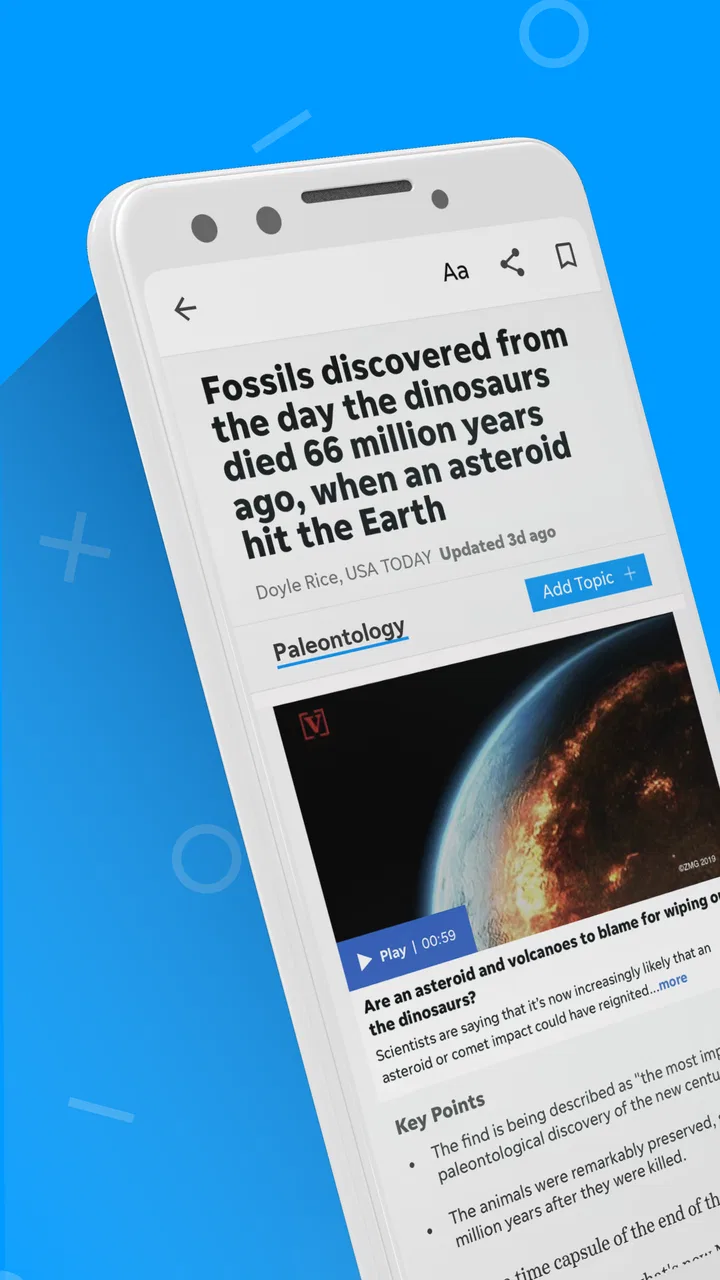
I approached Democrat & Chronicle as a local-news reader rather than as a general news browser. That distinction matters. The app belongs to USA TODAY Co. and sits in the News & Magazines category, but its identity is much narrower than a broad national news feed: it is meant for people who want the Democrat & Chronicle publication close at hand, with local reporting supported by national coverage, photography, and video.
My first impression was that this is a practical companion for readers who already care about the publication, their area, or both. It is free to install, carries an Everyone 10+ content rating, and has been available since May 3, 2012. Those details make it feel like an established publication app rather than a short-lived experiment. At the same time, the average rating is 2.1 from around 400 ratings, so I would not recommend downloading it blindly. The app deserves a careful trial, especially if you are deciding whether it should become your everyday news source.
Where the app earns trust, and where I stay cautious
Trust is especially important in a news app because the product is not only a screen full of headlines. It influences what I notice, what I read first, and which stories I may pass along to other people. With this app, my confidence starts with the clear publisher identity: USA TODAY Co. is named as the developer, while the app itself is presented as Democrat & Chronicle. That gives the experience a recognizable editorial home instead of making it feel like an anonymous collection of articles.
You May Also Like

 Blood Strike: 2.5 Anniversary
Blood Strike’s Loadouts Turn Every Drop Into a Tactical Gamble
A close look at Blood Strike’s custom loadouts: how fast access to signature weapons reshapes its battle royale rhythm, rewards preparation, and narrows the gap between fights.

 Pandora - Music & Podcasts
Pandora’s Music Is Easy to Start, but Harder to Recover
Pandora’s strength is its low-effort path from a seed to a station. Its weak spot is how much confidence it asks you to place in connection, setup, and quiet recovery.

 8 Ball Pool
 Is Built on Rivalries, Rematches, and Routine
A close look at the rivalries, rematches, shared routines, and unanswered safety questions that turn a quick pool match into a persistent mobile community.

 Samsung Music
’s Quiet Strength Is Playing What You Already Own
Its reach comes less from spectacle than from dependable access to a personal library. That simplicity is both the app’s strongest retention engine and its ceiling.

 AccuWeather: Weather Radar
AccuWeather Review: A Quick, Clear Forecast for Everyday Decisions
For everyday plans, the best forecast is the one you can understand quickly. AccuWeather makes rain timing, radar, and local conditions easy to act on, with a few trade-offs.

 Hill Climb Racing
Why Hill Climb Racing Still Turns Crashes Into One More Run
A tiny car, a bumpy hill and one more upgrade: Hill Climb Racing keeps resurfacing because its simple chaos makes every near-miss feel personal.
More From Our News Desk
View All News


I also appreciate that the app’s purpose is easy to understand. It combines local and national news with visual journalism and video, rather than pretending to be a social network or a general-purpose search engine. That focus helps me judge whether it belongs on my phone. If I want to follow local developments, community issues, regional sports, or nearby events through the publication’s own lens, the app makes sense. If I only want a quick comparison of headlines from many unrelated publishers, a news aggregator is likely a better fit.
The store rating gives me a reason to keep expectations realistic. A low average does not explain every individual complaint, but it does suggest that some readers have encountered friction. I would treat the app as something to test with my own reading routine, not as an automatic replacement for every other source. In practical terms, I would install it, browse several sections, open a few full stories, watch how the experience handles video, and then decide whether the daily value justifies keeping it.
The reading experience is strongest when local relevance comes first
The app’s best use case is a person who wants a direct route to Democrat & Chronicle coverage. I can imagine opening it during breakfast to check what changed overnight, returning during a commute to read a longer local story, and using the visual material when a headline alone does not provide enough context. That is a more focused habit than scrolling through a general news feed where local reporting may be buried beneath national politics and viral stories.
Photography and video also change how I evaluate a story. A written report may be enough for a routine update, while a photo gallery or video can help me understand a public event, a community scene, or the atmosphere around breaking news. The trade-off is that richer media usually asks more of my attention and connection than a short text headline. I would use the app’s visual content when I have time to engage, not necessarily when I need the fastest possible scan.
One useful habit is to separate “checking in” from “reading deeply.” On a quick visit, I would scan headlines and save the longer items mentally for later rather than opening everything at once. When I have more time, I would choose stories where the local angle adds something that a national outlet cannot provide. This keeps the app from becoming another endless feed and makes its regional focus more valuable.
What the current release means for a new reader
The current version is 8.10.3, and the app requires at least iOS or Android version 8.0, depending on the platform’s listing and device context. For a reader with a reasonably modern phone, that requirement should not be the main deciding factor. The more important question is whether the publication’s coverage and the app’s presentation fit the way that person consumes news.
Because the app is free, trying it does not require an upfront purchase. However, in-app purchases range from around twenty dollars to around seventy dollars per item, so I would pay attention to any subscription or purchase screen before confirming anything. “Free” is best understood as free to begin using, not as a promise that every form of access will remain free. I would read the wording carefully, check the renewal terms shown on the device, and avoid tapping through a payment screen simply to dismiss it quickly.
This is one of the app’s most important practical trade-offs. A dedicated publication app can give me a more coherent local-news experience than an aggregator, but it may also place more emphasis on paid access than a casual reader expects. Someone who only wants occasional headlines should decide whether that model suits them. Someone who reads local reporting every day may find the value easier to judge because frequent use makes the publication’s coverage more meaningful.
Controls, data-sensitive moments, and everyday use
I find it useful to decide in advance what I want from a local-news visit: a quick sense of what has changed, or time with one story that deserves closer attention. That small distinction helps me avoid treating every headline as urgent and makes the app’s mix of reporting and visual coverage easier to use deliberately. From there, I can build a repeatable routine that fits the rest of my day.
What I would check before making it part of my routine
I do not treat a familiar publisher name as a substitute for checking controls. Before settling into regular use, I would review the app’s permission prompts and the privacy information available through the operating system and the publisher. I would grant only access that makes sense for the experience I want. If a prompt appears for notifications, I would decide whether timely alerts are genuinely useful or whether they might interrupt my day.
Notifications deserve particular attention in a news app. They can be helpful when I want urgent local updates, but they can also turn a calm reading tool into a constant source of interruptions. My preferred approach would be to begin with notifications limited or off, then enable them only if I find that they deliver information I would otherwise miss. This is a small control, but it has a large effect on whether the app feels useful or demanding.
I would also inspect account and purchase screens before entering any personal details. The most important questions for me are simple: is an account needed for the reading experience I want, what does signing in unlock, and how clearly are paid options explained? I would not assume that every feature requires registration, nor would I assume that an account is unnecessary. I would let the visible choices in the app and the platform’s settings guide that decision.
When a news app includes video and photography, I also think about the practical cost of media use. Watching several clips on mobile data may affect my data allowance more than reading text. If I were traveling or using a limited connection, I would reserve video for Wi-Fi and rely on written stories when I needed to conserve data. This is not a criticism of the app’s visual approach; it is a reminder that the richest part of the experience may not be the most economical in every situation.
A realistic morning workflow
Here is how I would use it on an ordinary weekday. I would open the app briefly before work and look for local stories that could affect my route, neighborhood, school, or plans. I would read one or two articles rather than trying to consume the entire feed. If a story included video, I would decide whether the additional context was worth watching immediately or whether I should return later on a stronger connection.
At lunch, I would revisit the app for developments rather than repeating the same morning scan. This second visit is where a dedicated local publication can beat a broad aggregator: I am not only looking for the biggest national headline, but for updates that matter because they are nearby. In the evening, I would use the app for longer reading and photography, when I have enough time to consider the reporting instead of reacting to a notification.
The non-obvious benefit of this routine is that it gives the app a defined role. I am less likely to judge it by the speed of a national breaking-news service because I am using it for local awareness and publication-specific reporting. The non-obvious weakness is that readers who want a single app to cover every region, source, and perspective may find this focused workflow restrictive.
How it compares with familiar alternatives
Compared with a general news aggregator, Democrat & Chronicle offers a clearer editorial destination. An aggregator is usually better when I want many publishers, fast cross-checking, or a broad national overview in one place. This app is better when I value the continuity of one publication and want local coverage to remain visible instead of being ranked beside thousands of unrelated stories.
Compared with reading the publication in a mobile browser, the app’s main advantage is convenience. A dedicated app is easier to place on my home screen and easier to return to as part of a news habit. The browser can be preferable when I do not want another installed app, when I am managing storage carefully, or when I want to compare several publications in separate tabs. I would choose the app for regular use and the browser for occasional visits unless the app’s purchase or account flow made the browser more comfortable.
Compared with a national news app, this one has a different editorial purpose. A national service may give me faster breadth across countries and major institutions, while Democrat & Chronicle is more compelling when the local angle is the reason I opened my phone. Neither approach is automatically superior. The right choice depends on whether “what is happening near me?” or “what is happening everywhere?” is the question I ask most often.
Who should use it, and who should skip it
I would recommend trying the app if you already follow Democrat & Chronicle, live in the publication’s coverage area, or want a more direct local-news routine. It may also suit readers who enjoy combining articles with photography and video rather than relying on text-only updates. The free entry point makes a trial straightforward, provided the reader pays attention to any purchase choices that appear later.
I would be more hesitant to recommend it to someone who wants a completely free, all-purpose news dashboard. The in-app purchase range means that cost should be considered before committing to a long-term reading habit. I would also steer away readers who mainly want instant national headlines, extensive source comparison, or a highly customizable news mix. A broad aggregator or a national publication app may serve those needs more efficiently.
People who are sensitive to notifications, mobile data use, or account prompts should take a slower approach. Start with the app’s visible controls, keep alerts limited until they prove useful, and review every purchase screen. That is not excessive caution; it is a sensible way to maintain control over a news product that can become part of a daily routine.
My cautious verdict
After weighing the focused local identity against the low average rating and the possibility of paid access, I see Democrat & Chronicle as a targeted tool rather than a universal recommendation. Its strongest quality is purpose: it gives readers a dedicated place to follow the publication’s local and national reporting, with photography and video adding depth when text is not enough.
My advice is to judge it by a specific question: does it help you keep up with the news that matters in your area more effectively than your current browser, aggregator, or national app? If the answer is yes, the dedicated experience may be worthwhile. If the answer is no, there is little reason to force it into your routine simply because it is free to install.
The best approach is a controlled trial: explore the coverage, review the visible permissions and account choices, manage notifications, and treat every purchase prompt carefully. I would keep it for readers who want a publication-centered local habit and skip it for anyone seeking maximum breadth with minimal friction. That is a narrower recommendation, but it is the honest one.
FAQs for Democrat & Chronicle
01What is Democrat & Chronicle?
Democrat & Chronicle is a news app focused primarily on Rochester, New York, and the surrounding communities. It provides access to local reporting, breaking news, politics, sports, entertainment, business, weather, and opinion content. The app is designed for readers who want a convenient way to follow regional developments alongside selected national and broader USA Today Network stories.
02Is the Democrat & Chronicle app free to download and use?
The app is generally free to download, and some articles or sections may be available without payment. However, access to the complete article library, premium journalism, digital editions, or unrestricted reading may require a subscription. Availability and pricing can change, so users should review the current subscription terms shown in the app or on the official Democrat & Chronicle website before subscribing.
03Does Democrat & Chronicle require a subscription?
A subscription may be required after users reach a certain number of free articles or when they try to open subscriber-only content. Depending on the plan, subscribers may receive unlimited digital access, the eNewspaper, newsletters, and other benefits. The app should clearly indicate when content is restricted, but it is worth checking renewal terms, billing conditions, and cancellation instructions before starting a trial.
04What type of news and features can I find in the app?
The app typically includes local news, investigative reporting, crime and public safety updates, high school and professional sports, weather information, community stories, entertainment, business coverage, and opinion articles. Users may also find personalized feeds, breaking-news notifications, saved articles, newsletters, photo galleries, videos, and access to a digital newspaper edition, although specific features can vary by device and app version.
05Is Democrat & Chronicle available on both Android and iPhone?
Yes, Democrat & Chronicle is intended for mobile users on both Android and iOS devices, provided the phone or tablet meets the current operating-system requirements. Downloading it through the official Google Play Store or Apple App Store is the safest option. Before installing, check the listing for recent updates, storage requirements, privacy information, and user reviews, since supported features may differ slightly between platforms.
Pros
- Fast access to local Rochester news and breaking updates.
- Covers community events
- politics
- sports
- and regional issues.
- Clean layout makes articles easy to browse on mobile devices.
- Supports personalized news alerts for important local stories.
- Digital access is convenient for subscribers away from home.
Cons
- Many premium articles may require a paid subscription.
- Some content can feel heavily focused on the Rochester area.
- Frequent notifications may become distracting without customization.
- App performance may vary on older phones or slower connections.
- Advertising can reduce reading space on some screens.

Democrat & Chronicle
Gallery